Discord Bot Hosting ThatStays Online
Run your bot 24/7 on the same Ryzen 9 9950X hardware as our game servers. Upload your files or connect Git, press Start, done. From $1.49/month.
Pick Your Bot Plan
Choose Node.js, Python or Java at checkout. Billed monthly, cancel any time.
Bigger bot? Run it on a Budget Server with up to 16 GB RAM and open a ticket to switch it to a bot setup.
TypeScript runs directly, too.
requirements.txt is installed on every start.
Upload your jar and set its name in Startup.
If your bot crashes, it's started again automatically. Schedule daily restarts too.
Clone from GitHub (private repos too) or upload in the browser or over SFTP.
package.json or requirements.txt is installed on every start.
Store levels, warnings and settings (Bot Standard and up).
Watch your bot's logs, restart and stop it from any device.
One public port for a small web dashboard or webhooks.
Which languages can my Discord bot use?+
Node.js (for example discord.js), Python (for example discord.py or nextcord) and Java (for example JDA or Discord4J). You pick the language at checkout and can change the version in the panel's Startup tab any time.
How do I get my bot's code onto the server?+
Upload your files in the panel's File Manager or over SFTP, or set a Git repository in the Startup tab and the panel clones it for you. Your packages from package.json or requirements.txt are installed every time the bot starts.
Will my bot restart if it crashes?+
Yes. If your bot stops unexpectedly, the panel restarts it automatically. If it keeps crashing within a minute, it stays off so you can read the error in the console and fix it.
Which plan does my bot need?+
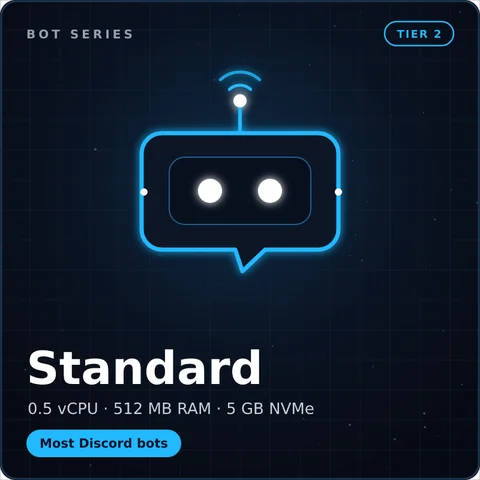
Most bots run well on Bot Standard (512 MB RAM). Small bots for a single server fit on Bot Lite. Music bots, bots in hundreds of servers, or bots with a web dashboard should start at Bot Pro.
Do I need to keep my computer on?+
No. Your bot runs on our server in the US East region, 24 hours a day, whether your computer is on or not.
Is my bot token safe?+
Your files are only visible to you and the sub-users you add. Keep the token in a .env file instead of in your code, and never put it in a public Git repo. If it ever leaks, reset it in the Discord Developer Portal.