Schedules: automatic restarts, backups and messages
Schedules run tasks for you at set times, even when you're offline.
Example: restart every day at 5 AM with a warning
- In the game panel, open Schedules and click Create schedule.
- Name it
Daily restart. Easy Mode gives you dropdowns for common times. For an exact time, switch to Advanced and enter:
That means 4:55 every day. Schedule times use US Pacific time (Los Angeles), the panel's time zone.Minute: 55 Hour: 4 Day of month: * Month: * Day of week: * - Keep Only When Server Is Online and Schedule Enabled switched on, and click Create schedule.
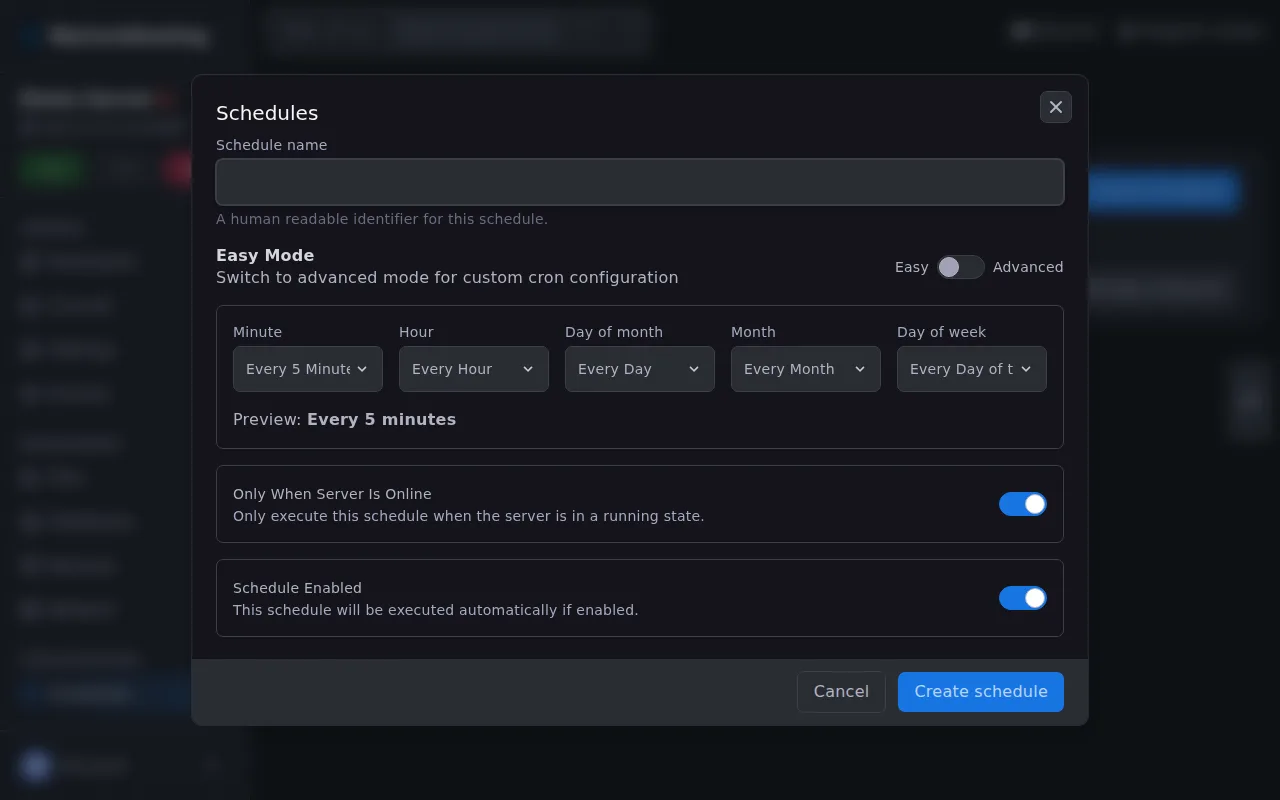
Create schedule: Easy Mode dropdowns, or Advanced for exact times. - Open the schedule and click New Task for each of these:
- Send command:
say Restarting in 5 minutes! - Send command, time offset 240 seconds:
say Restarting in 1 minute! - Send power action → Restart server, time offset 60 seconds
- Send command:
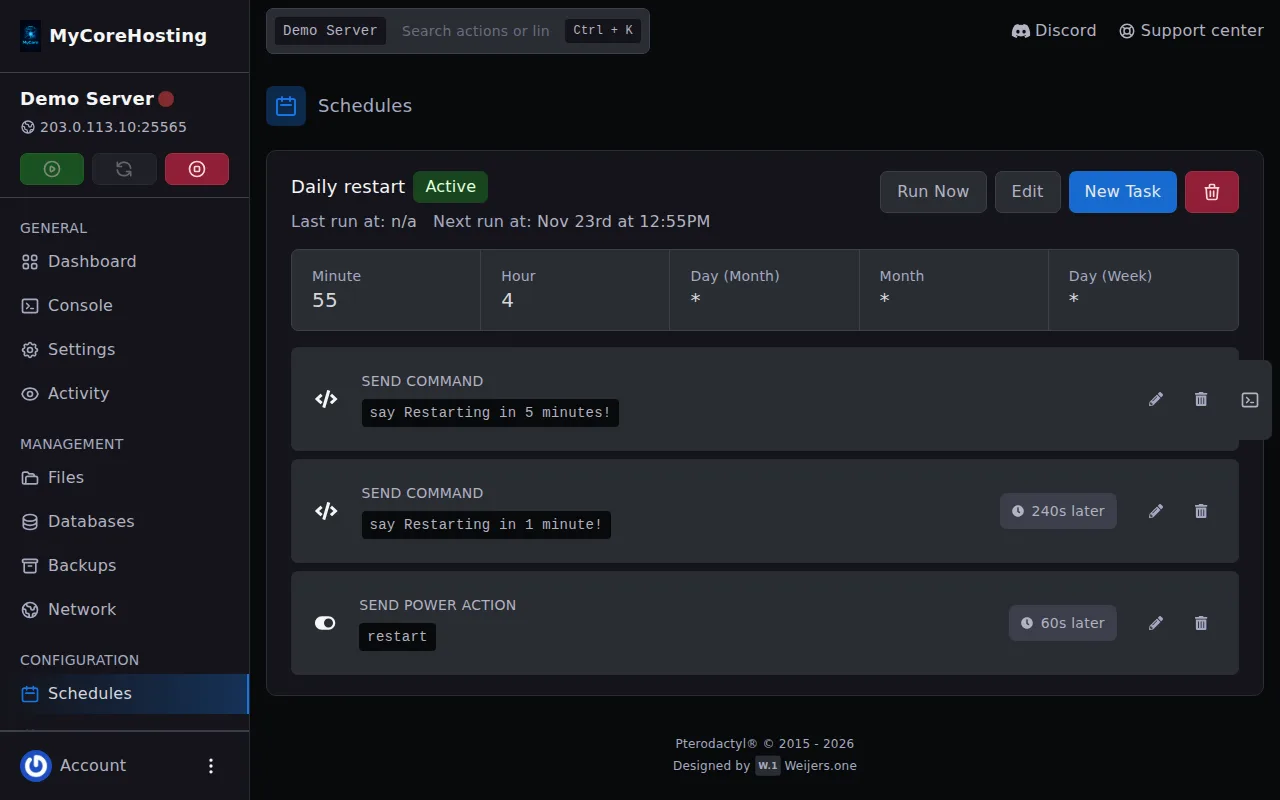
Each task's time offset is counted from the task before it.
Example: automatic backup every night
Create a schedule at, say, minute 0 hour 3, and add one task: Create backup. When your 2 backup slots are full, it replaces the oldest unlocked backup. See Backups.
Reading the time fields
*means "every".*/6in the hour field means every 6 hours.- Day of week:
0is Sunday,1is Monday, through6for Saturday. - Not sure? Click Run Now on a schedule to test its tasks straight away.
Stuck?
Open a ticket in the client area and tell us what you've tried. We'll point you in the right direction.
Open a ticket