Use a custom server jar (Purpur, Fabric, Vanilla)
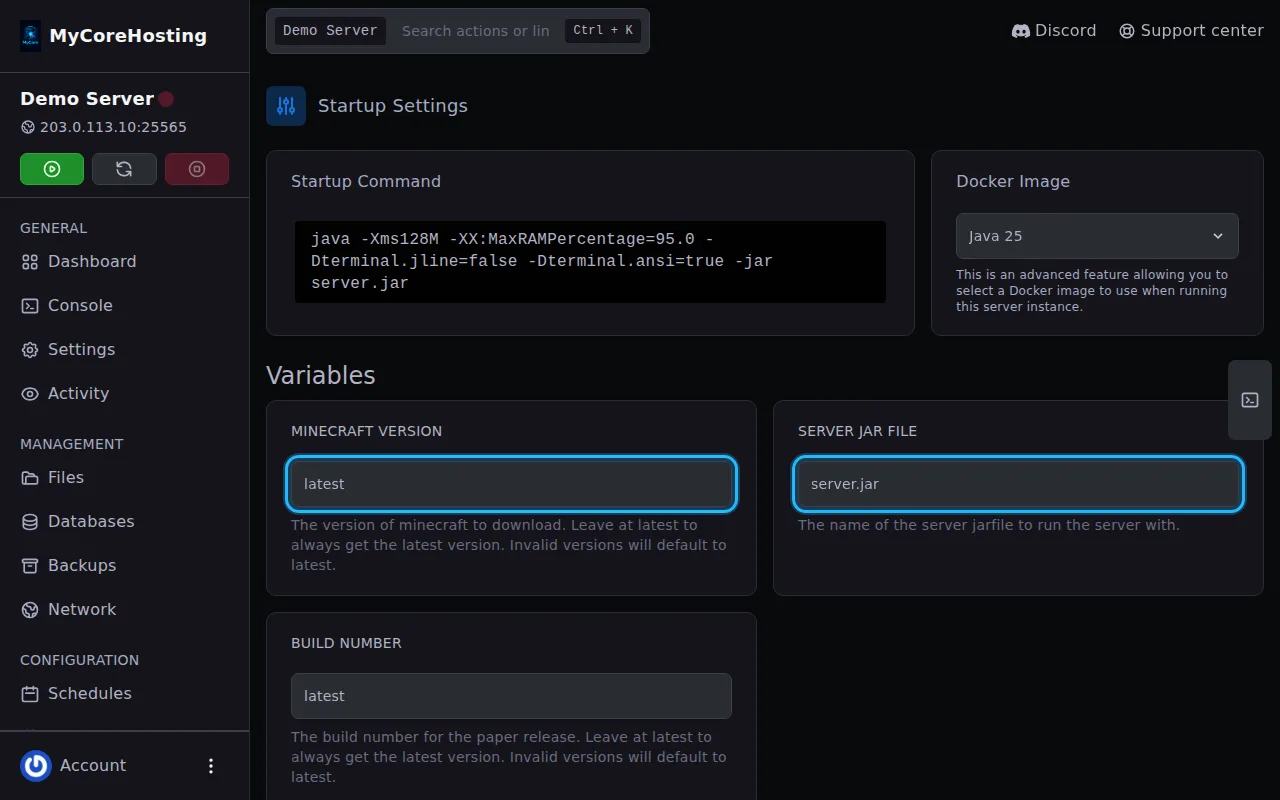
Your server runs whichever jar file is set in Startup → Server Jar File, so you can swap Paper for another server type.
Make a backup first. Switching from Paper to Fabric or Vanilla means your plugins stop working, because those servers don't run plugins.
Which jar?
- Purpur: Paper with extra settings. Runs the same plugins. Download from purpurmc.org.
- Fabric: lightweight mods (Lithium, performance mods, Fabric modpacks). From fabricmc.net, download the Executable Server (.jar).
- Vanilla: Mojang's official server, from minecraft.net.
- Forge / NeoForge modpacks: these don't start from a single jar. open a ticket and we'll switch your server to our Forge setup.
1. Upload the jar
- Stop the server.
- Rename the jar to something simple, like
purpur.jarorfabric.jar. - Upload it to the top folder in Files (see Upload files).
2. Point the server at it
- Open Startup and set Server Jar File to the new name, for example
purpur.jar. It saves when you click away from the box. - Pick the right Java version in Docker Image (see the Java table).
- Start the server.
Fabric extras
- Fabric mods go in the
modsfolder. Most need the Fabric API mod as well. - On the first start, Fabric downloads the Minecraft server files. Give it a minute.
Don't use Reinstall Server while on a custom jar. Reinstall downloads Paper into whatever file name is set in Server Jar File, which would replace your custom jar. To go back to Paper, set Server Jar File to server.jar and then reinstall.
Troubleshooting
- "Unable to access jarfile": the name in Server Jar File doesn't match the file exactly (it's case-sensitive), or the jar isn't in the top folder.
- Server asks you to accept the EULA: open
eula.txt, seteula=true, save and start again.
Stuck?
Open a ticket in the client area and tell us what you've tried. We'll point you in the right direction.
Open a ticket